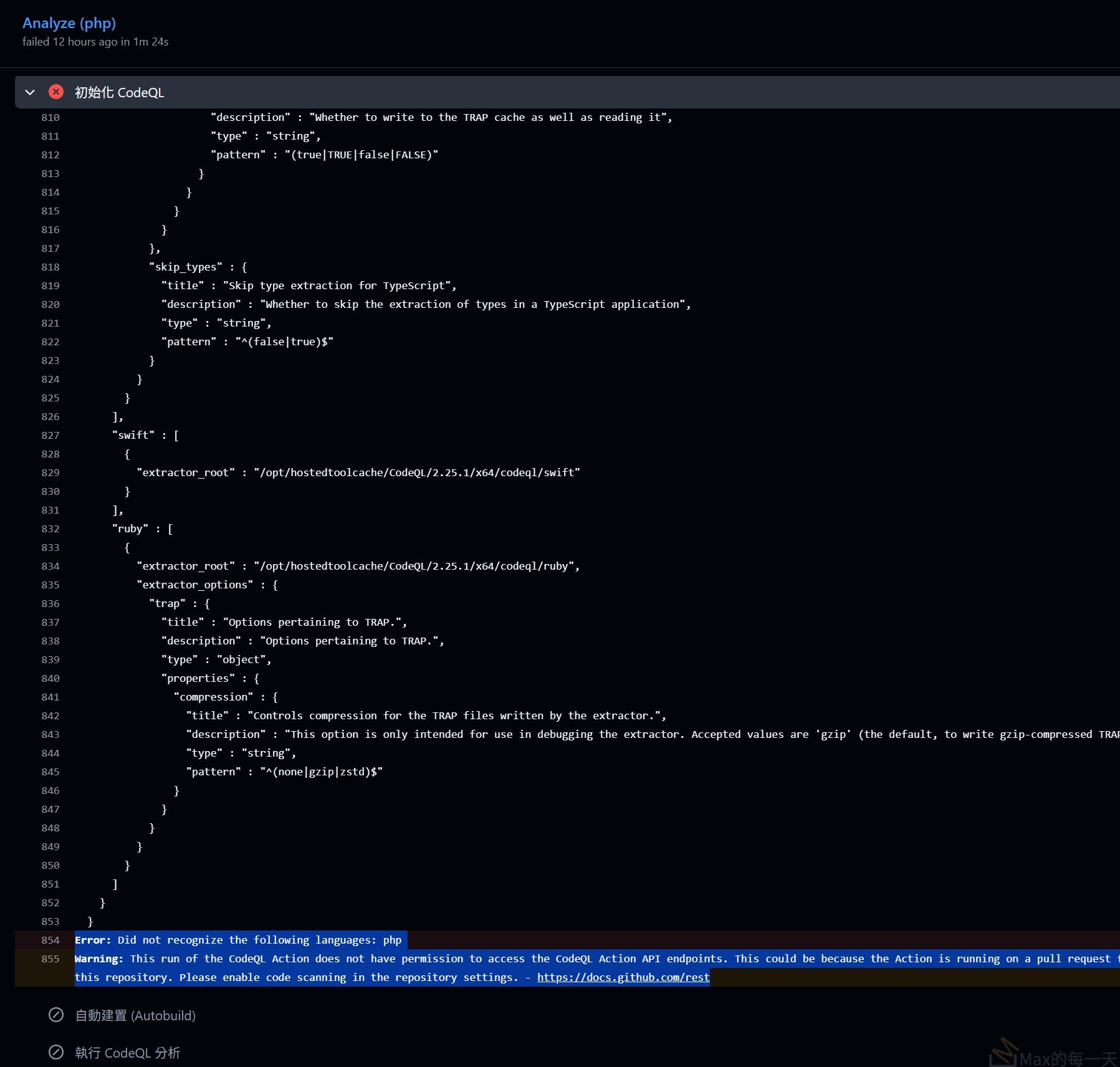
error message:
Error: Did not recognize the following languages: php
Warning: This run of the CodeQL Action does not have permission to access the CodeQL Action API endpoints. This could be because the Action is running on a pull request from a fork. If not, please ensure the workflow has at least the 'security-events: read' permission. Details: Code scanning is not enabled for this repository. Please enable code scanning in the repository settings. - https://docs.github.com/rest
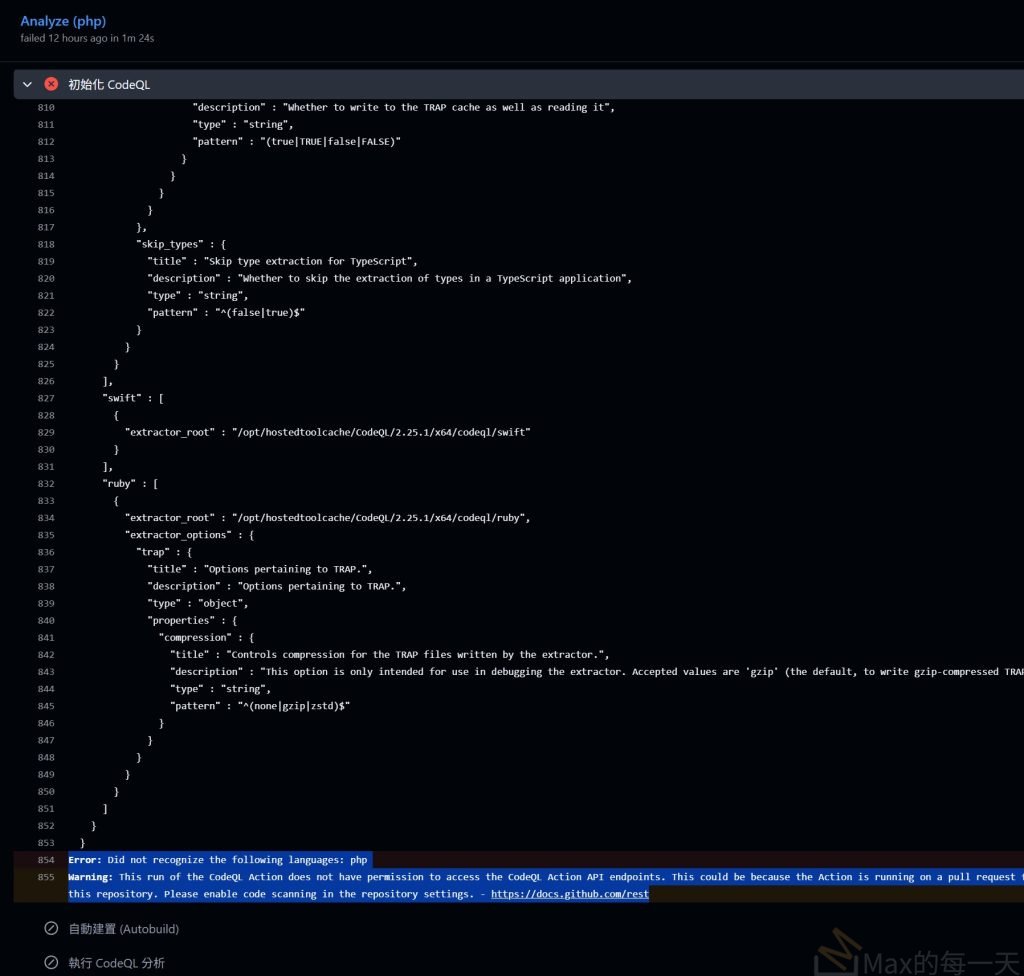
這看起來像是 CodeQL 分析時遇到了兩個常見的障礙:一個是語言設定問題,另一個是 GitHub API 的權限或設定問題。
以下是針對這兩項錯誤的解決方案:
1. 語言錯誤:Did not recognize the following languages: php
問題點: 雖然 CodeQL 支援 PHP,但系統提示無法辨認。
解決方法:
- 檢查大小寫: 在
.github/workflows/codeql.yml檔案中,請確保語言名稱是全小寫。 - 更新 Action 版本: 確保你使用的是較新的版本(建議使用
@v3)。 - 縮排與語法: 如果有多種語言,請使用列表格式。
YAML
# 範例設定
- name: Initialize CodeQL
  uses: github/codeql-action/init@v3
  with:
    languages: php  # 確保這裡是小寫
2. 權限與 API 錯誤:does not have permission
問題點: 工作流(Workflow)沒有權限將掃描結果上傳到 GitHub 的安全後台。這通常發生在從 Fork(分叉)出來的 PR,或是權限設定過於嚴格時。
解決方法:
你需要在 YAML 檔案中明確加入 permissions 區塊,賦予工作流寫入安全事件的權力:
YAML
permissions:
  actions: read
  contents: read
  security-events: write  # 這是上傳結果最關鍵的權限
3. 警告:Code scanning is not enabled
問題點: 你的儲存庫(Repository)尚未正式啟用 Code Scanning 功能。
操作步驟:
- 進入 GitHub 儲存庫的 Settings(設定)。
- 點擊左側選單的 Code security and analysis。
- 找到 Code scanning 並點擊 Set up 或確保其為開啟狀態。
[!IMPORTANT]
如果這是私有儲存庫(Private Repo),你必須擁有 GitHub Advanced Security 授權才能使用 CodeQL 的自動掃描功能。
快速檢查清單
| 問題類型 | 應對動作 |
| 來自 Fork 的 PR | 到 Settings > Actions > General 確認是否允許 Fork 的 PR 執行工作流並存取秘密(Secrets)。 |
| 多語言設定 | 若有其他語言,請寫成:languages: [ 'javascript', 'php' ]。 |
| GitHub Enterprise | 如果你在企業版環境,請確認 Runner 是否可以連線到 GitHub 的 API 端點。 |
請問你這個專案是公開的還是組織內的私有專案呢?這會影響到權限設定的細節。
討論串: Why doesn’t CodeQL support auditing PHP
https://github.com/github/codeql/issues/12376
這是一個很常見的誤解。簡單來說:CodeQL 絕對支援 PHP,但在 GitHub Action 的某些特定版本或環境下,可能會因為「配置方式」導致它找不到 PHP。
關於你提到的 issue (#12376) 以及相關的討論,這裡有幾個核心重點幫助你理解:
1. CodeQL 確實支援 PHP
PHP 是 CodeQL 官方支援的語言之一(包括分析 SQL 注入、跨站腳本 XSS 等漏洞)。你可以從官方文件中看到 PHP 始終在支援清單中。
2. 為什麼會出現 “Did not recognize php” 的錯誤?
在該 issue 和類似案例中,通常是因為以下兩個原因:
- 版本相容性 (Action Version): 如果你使用的
github/codeql-action版本太舊,或者內含的 CodeQL CLI 版本不匹配,可能會導致語言包加載失敗。 - 預設套件包 (Standard Bundles):CodeQL 在執行時會下載一個包含所有語言規則的「套件包 (Bundle)」。如果下載過程中出錯,或是你指定的分析器路徑不對,就會報出找不到語言的錯誤。
- 大小寫問題:CodeQL 對設定檔非常敏感,必須確保是全小寫的
php。
3. 如何解決這個問題?
根據目前的最佳實踐,請檢查並修正你的 .github/workflows/codeql.yml:
A. 更新 Action 版本(最重要)
確保你使用的是 v3(目前的主流版本):
YAML
- name: Initialize CodeQL
  uses: github/codeql-action/init@v3
  with:
    languages: php
B. 手動指定 CodeQL 套件來源(如果問題持續)
有時候 GitHub 的託管執行器(Runner)快取了壞掉的 CodeQL 版本。你可以嘗試強制它使用最新的版本:
YAML
- name: Initialize CodeQL
  uses: github/codeql-action/init@v3
  with:
    languages: php
    tools: latest # 強制下載最新版工具
4. 針對你提到的權限錯誤(補充)
你之前提到的第二個錯誤 Warning: This run of the CodeQL Action does not have permission... 其實才是主因。
當 CodeQL 因為權限不足無法從 GitHub API 獲取配置或下載必要的語言組件時,它可能會退回到一個「空狀態」,然後報錯說它「不認識 php」。
請務必檢查:
- 你的 Repository 設置中:Settings > Code security and analysis > Code scanning 是否已啟動?
- 如果這是 Fork 過來的專案,預設是不能執行 CodeQL 並回傳結果的(為了安全)。你必須在 PR 頁面手動核准執行,或者在該 Fork 倉庫的設定中開啟 Actions 權限。
總結
CodeQL 支援 PHP。 你看到的錯誤通常不是因為「不支援」,而是因為 權限被阻擋 或 Action 版本過舊 導致 CodeQL 無法正確加載 PHP 的分析模組。請嘗試將 Action 更新至 v3 並在 YAML 中加入 permissions: security-events: write。
PHP is not supported by CodeQL. What should we do with codeql-analysis.yml?雖然 CodeQL 目前不支援 PHP,但這並不代表 codeql-analysis.yml 就完全沒有用處。如果你的專案除了 PHP 之外,還包含 JavaScript、TypeScript、HTML 或 CSS 等前端程式碼,CodeQL 依然可以掃描這些語言中的安全漏洞。建議先確認專案的語言組成,如果確實只有純 PHP 程式碼,直接移除這個檔案是合理的選擇,這樣可以避免 CI 執行無意義的掃描,節省系統資源。
如果專案包含前端程式碼,你可以修改設定檔,將語言限制在 CodeQL 支援的範圍內。如果你決定移除它,第一選項提到的 PHPStan 確實已經處理了大部分的靜態分析任務。不過要注意的是,PHPStan 主要專注於型別檢查和邏輯錯誤,而 CodeQL 類型的工具通常更偏向安全性漏洞掃描(如 SQL 注入)。如果你對安全性有高度要求,可以考慮第二選項,導入像 Snyk 或 Psalm 的安全分析外掛,來補足安全性掃描的空缺。
若選擇移除,請直接刪除 .github/workflows/codeql-analysis.yml。若專案未來計畫引入其他語言,則可以考慮暫時停用而非刪除。總結來說,若專案結構單一且 PHPStan 已能滿足開發需求,採取第一選項移除檔案是最簡潔的做法。
這兩款工具在 PHP 社群都非常知名,但定位和收費模式完全不同。簡單來說,Psalm 適合預算有限、追求深度程式碼檢查的專案;Snyk 則適合企業級開發,需要更完整的安全性掃描生態。
Psalm 安全分析
Psalm 本身是完全免費且開源的靜態分析工具。它最強大的地方在於 Taint Analysis(汙點分析),可以追蹤不受信任的輸入(如 $_GET)是否流向了危險的函數(如 query()),從而檢測 SQL 注入或 XSS。
安裝步驟
如果你已經有專案,可以使用 Composer 進行安裝:
- 安裝主程式:
composer require --dev vimeo/psalm - 初始化設定:
./vendor/bin/psalm --init這會生成一個 psalm.xml 設定檔。 - 啟用安全分析:在 psalm.xml 中確保啟用了 taintAnalysis,或是直接在執行時加入參數:
./vendor/bin/psalm --taint-analysis - 安裝框架外掛(選配):如果你使用 Laravel 或 Symfony,建議安裝專屬外掛,分析會更準確:
composer require --dev psalm/plugin-laravel./vendor/bin/psalm-plugin enable psalm/plugin-laravel
Snyk 安全掃描
Snyk 是一個商業產品。對於開源專案或個人小規模使用,它提供免費額度(Free Plan),但對於企業或需要大量掃描、進階合規報告的團隊,則需要付費。2026 年的 Team 版本起跳價大約在每位開發者每月 50 美元左右。
安裝步驟
Snyk 通常是透過 CLI 或直接整合到 GitHub 工作流中。
- 安裝 Snyk CLI:在本地或 CI 環境執行:
npm install -g snyk - 驗證身份:
snyk auth這會跳轉到瀏覽器讓你登入帳號。 - 進行掃描:在專案根目錄執行以下指令來檢查依賴套件與程式碼漏洞:
snyk test - GitHub 工作流整合:你可以在 .github/workflows 中建立 snyk.yml,使用官方提供的 Action:YAML
steps: - uses: actions/checkout@v4 - uses: snyk/actions/php@master env: SNYK_TOKEN: ${{ secrets.SNYK_TOKEN }}
該選哪一個
- 如果你想要不花一毛錢就達到極致的程式碼安全檢查,選 Psalm。它對 PHP 的理解非常深,但設定上會比較囉嗦。
- 如果你希望有漂亮的儀表板、自動掃描開源套件(SCA)的漏洞,且不介意免費額度的限制,選 Snyk。它的強項在於全面性的漏洞資料庫。
解決 Composer 找不到的問題
如果你是在 Windows 環境下,最簡單的解決方法是去 Composer 官網下載並執行 Composer-Setup.exe 安裝檔。
傳送門: https://getcomposer.org/download/
安裝過程中它會自動尋找你的 php.exe 路徑,並幫你把執行命令設定好。安裝完成後,務必重新啟動你的終端機(如 CMD 或 PowerShell),這樣設定才會生效。
如果你確定已經安裝過,請檢查 PHP 的安裝路徑是否已經加入到系統環境變數中。你可以在終端機輸入 php -v 來確認。如果連 php 都不被辨認,那代表你必須先搞定 PHP 的環境。
關於在本機檢查
是的,當你執行 composer require --dev vimeo/psalm 時,這是在你的開發本機進行操作。
這行指令的意思是將 Psalm 下載到你專案資料夾裡的 vendor 目錄中。--dev 參數表示這個工具只在開發環境使用,實際把程式碼上傳到正式伺服器時,不會包含這些測試工具。
在本機檢查的好處是,你可以在程式碼還沒上傳到 GitHub 或伺服器之前,就先發現潛在的安全性問題。這通常被稱為「左移測試」(Shift-Left Testing),也就是在開發初期就介入檢查。
執行本機檢查的流程
當你解決了 Composer 的問題後,在本機操作的完整流程如下:
安裝: 執行
composer require --dev vimeo/psalm初始化: 執行
./vendor/bin/psalm --init這會在你的專案裡產生一個設定檔,讓 Psalm 知道要檢查哪些資料夾。
執行掃描: 執行
./vendor/bin/psalm它會開始掃描你的程式碼並在終端機顯示錯誤報告。
如果你覺得在本機手動執行很麻煩,通常我們會把這套流程整合進 VS Code 等編輯器的外掛中,讓你邊寫程式時,編輯器就直接畫紅線提醒你哪裡可能有安全性漏洞。
為什麼這比在 GitHub 上檢查快
在本機執行檢查的反應速度最快。如果你只靠 GitHub Actions(也就是你原本提到的 codeql-analysis.yml 所在的環境)來檢查,你必須先 commit 並 push 程式碼,等待雲端主機啟動,然後才能看到結果。在本機跑 Psalm 通常只需要幾秒鐘,能節省大量的等待時間。
● CodeQL 完全不支援 PHP,這也是我們移除 codeql-analysis.yml 的原因。
支援的語言只有:C/C++、C#、Go、Java/Kotlin、JavaScript/TypeScript、Python、Ruby、Swift。
針對 PHP 的替代方案:
┌────────────────────────────────┬───────────────────────────────────┐
│ 工具 │ 用途 │
├────────────────────────────────┼───────────────────────────────────┤
│ Psalm (--taint-analysis) │ 資安漏洞(SQL injection、XSS 等) │
├────────────────────────────────┼───────────────────────────────────┤
│ PHPStan │ 型別錯誤、靜態分析 │
├────────────────────────────────┼───────────────────────────────────┤
│ PHP CodeSniffer │ 程式碼風格(PSR-12) │
├────────────────────────────────┼───────────────────────────────────┤
│ composer audit │ 相依套件已知漏洞 │
└────────────────────────────────┴───────────────────────────────────┘
這些都能在本機直接執行,速度比 GitHub Actions 快很多。